News & Feature Release Updates
How to Plan Internal Comms With a Content Calendar: Move from Reactive Messaging to Intentional Communication

One of the most important things you can do to give your employee app the best chance of success, is to ensure that you and your app admin team are adding a constant and steady flow of new and engaging content. If your employees regularly open your app to find nothing new, they’re simply less likely to continue coming back. The solution? Plan your Internal Comms App content in advance using a Content Calendar.
We know that Internal Communications often compete with day-to-day priorities, urgent requests, and last-minute updates. You’re pulled in different directions and end up either putting out comms content as a reaction to something that’s just happened, or struggling to think-up new content for the sake of adding something new.
A Content Calendar brings structure to that chaos. By planning internal comms in advance, your team can move from reactive messaging to intentional communication that actually supports business goals.
A Content Calendar helps you see the big picture. Most importantly, it creates consistency, which builds trust and credibility with employees over time.
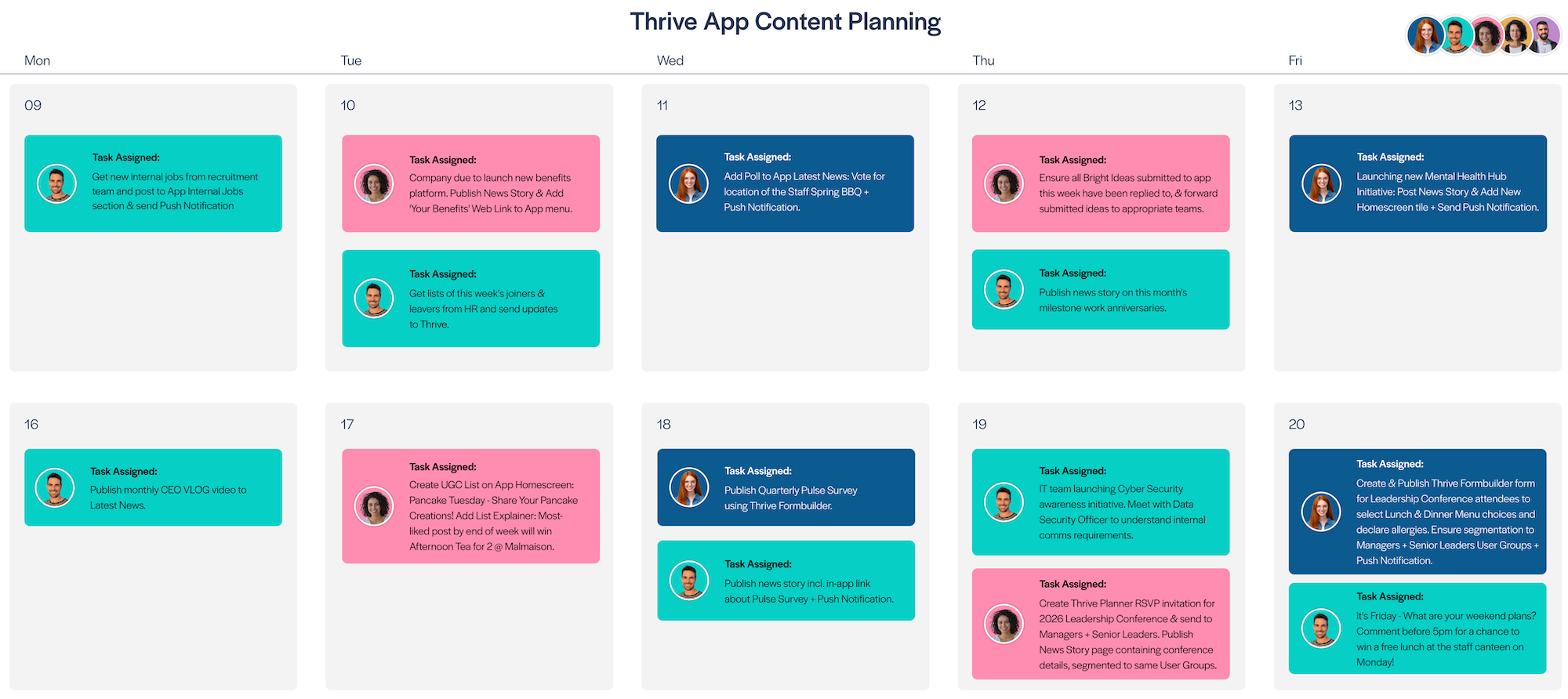
Here’s an example of the kind of thing you’re aiming for:
How to plan using your Content Calendar
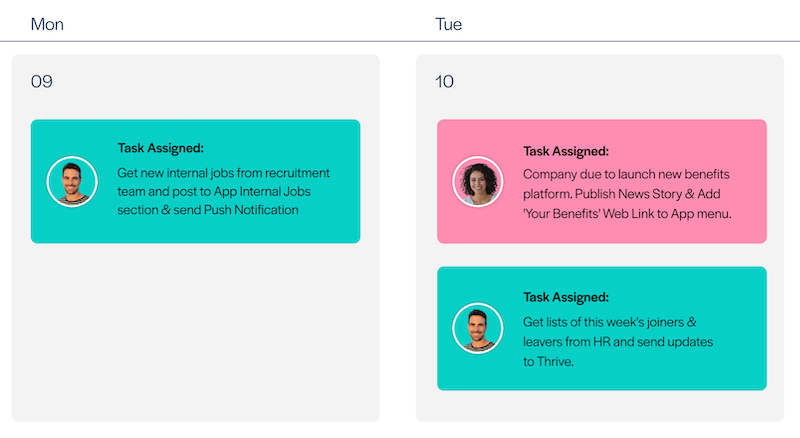
Start by adding your regular weekly tasks. Like getting a list of new internal vacancies from the recruitment team that need posted to your app each week, or getting the list of Joiners and Leavers from HR to send your updated User Lists to Thrive. Our example company above also has their CEO record a monthly Vlog message from the CEO, so they make sure to include that in their content calendar plan each month so that they can remind the CEO incase they haven't recorded it yet!
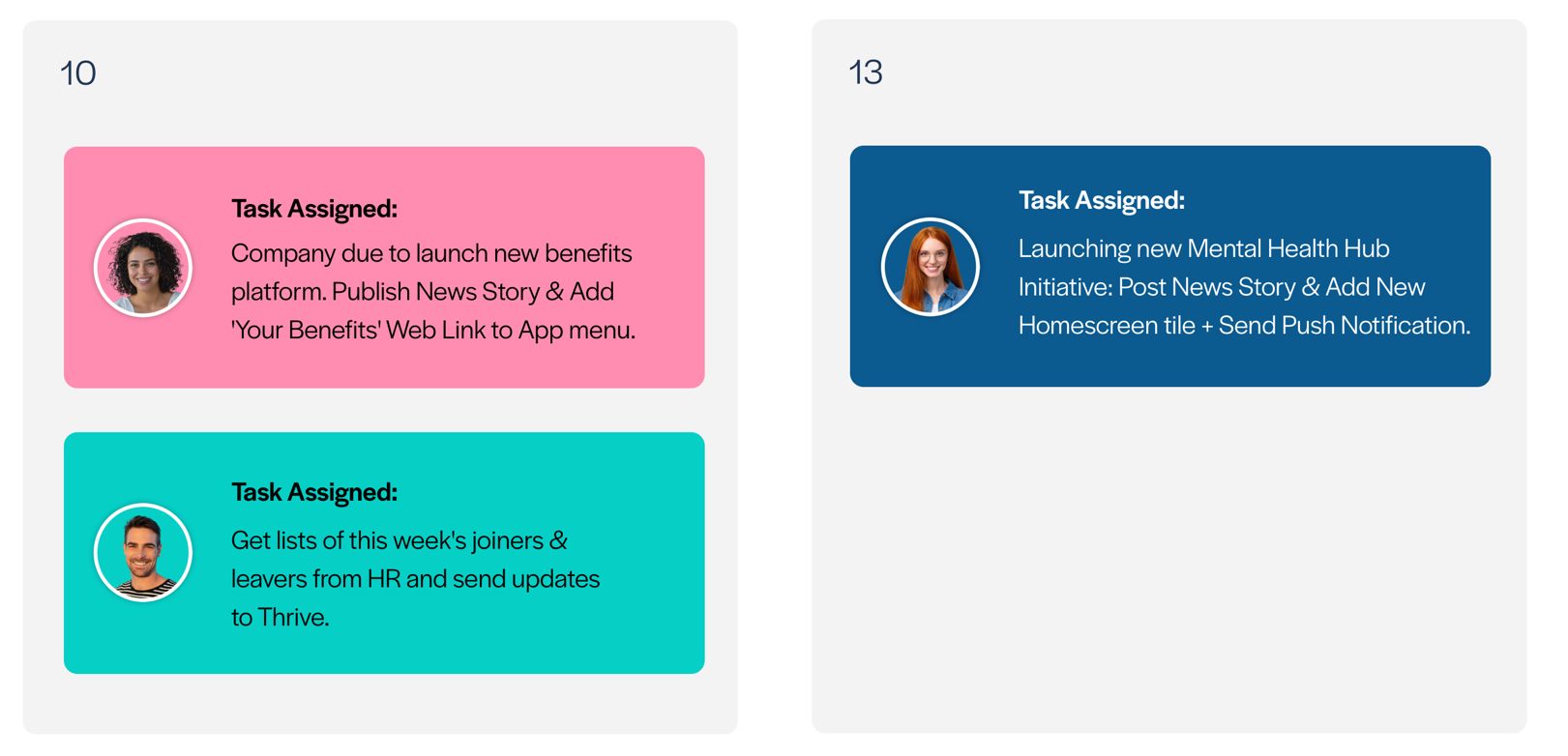
Now map out the key "need to know" moments for the business in the weeks ahead that will need to be communicated to employees. These are your launches, initiatives, big new-starter intakes, planned policy updates and so on. For example, on the Friday of Week 1 in the calendar above, the company is planning to launch a new mental health and wellbeing initiative on that day – so it’s planned in the content calendar to ensure that initiative is launched well and is communicated effectively to employees. It’s also worth remembering that for the launch of this kind of employee initiative; don’t just post a new List on your app Homescreen or Menu… as your Insights dashboard data likely shows you, a lot of employees tend to just quickly check the Latest News section to see what’s new. So it’s a good idea to also post a separate News Story in your Latest News section to give your employees information about the (for example) new wellbeing initiative or new employee discounts scheme!
Next up to go in the calendar are your company’s “real life” events. These might be conferences, training courses, public product launches, re-branding, etc. For our example company, the annual Staff Leadership Conference is approaching so they’ve planned some app content to support that, in collaboration with the conference organisers. They plan to create the event using the Thrive Planner feature to invite all of their Managers and Senior Leaders to RSVP and sign-up to attend the event. Ahead of the start of the conference they’re even going to use the Thrive Formbuilder to allow the attendees to declare any food allergies and to select their Lunch and Dinner menu choices!
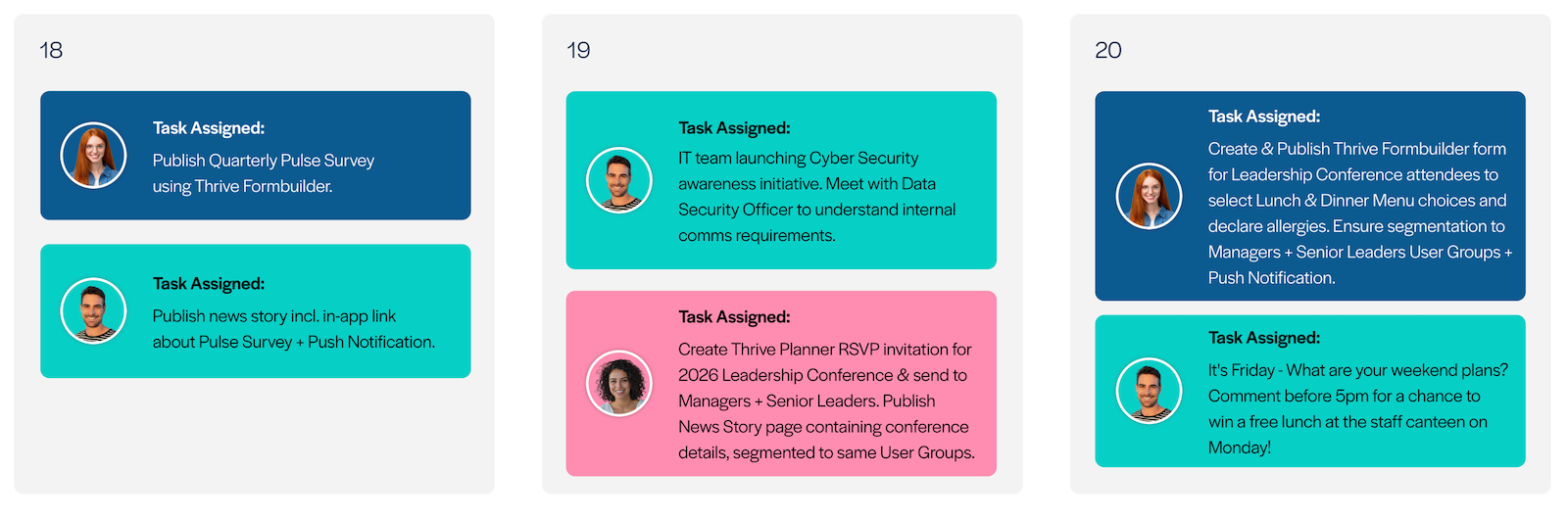
Now that you’ve added your regular weekly tasks, the key upcoming business “need to knows” and planned in content around upcoming company events… Think about planning themed communications that align with your company’s current goals and focus-points. Our example company above currently has a big focus on employee recognition and feedback – ensuring that employees feel recognised for their service and contributions to the business, and feeling that their voices and opinions are heard. So they’ve planned in some content that contributes to those business goals:
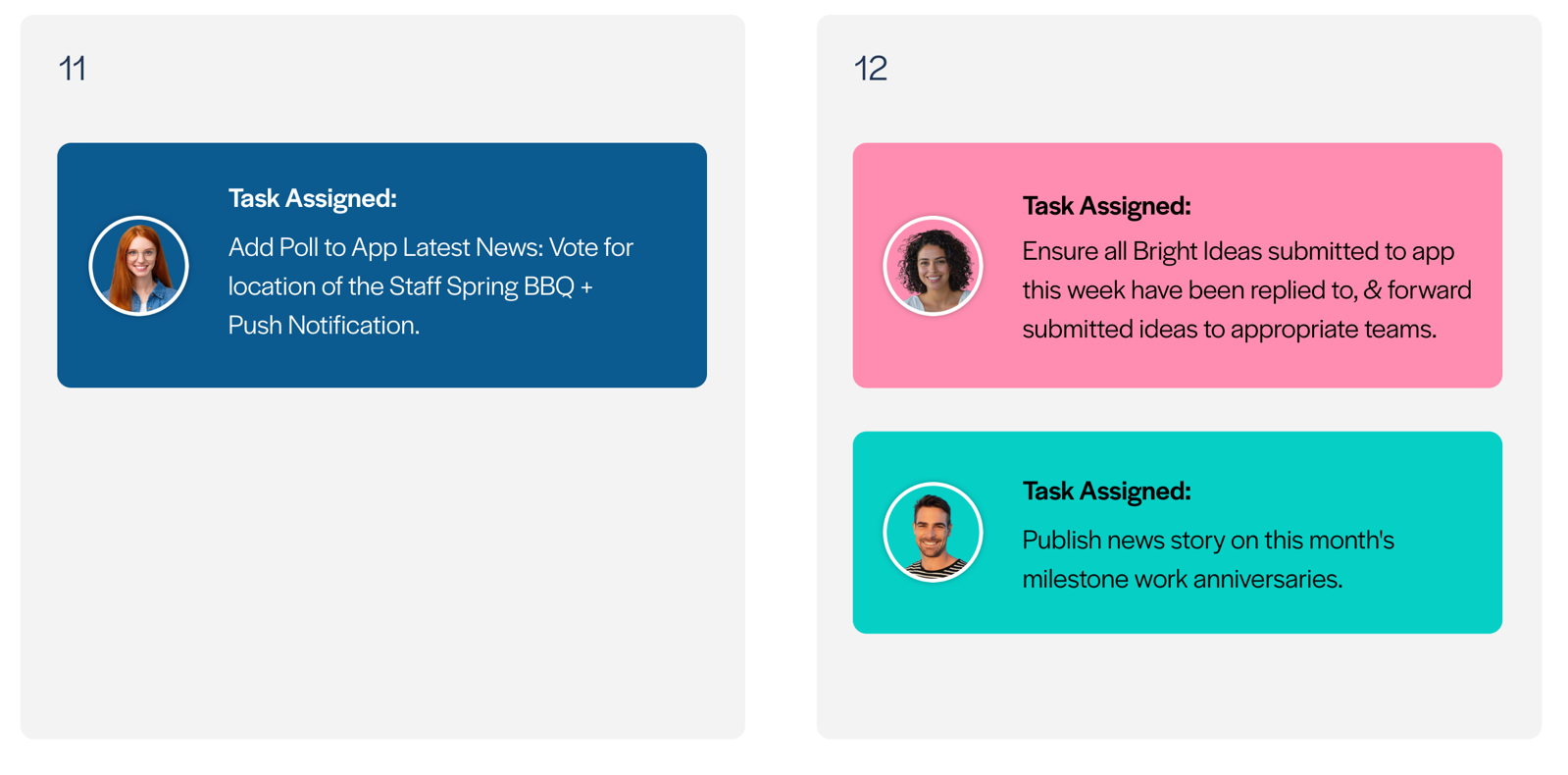
- They have a space in their app where employees can post their ideas for business improvements – so they assign a specific task to a member of the team to make sure that all of the ideas submitted by employees have been replied to, and have also been forwarded to the appropriate departments for consideration.
- They plan in a post each month to recognise special employee milestone anniversaries, to highlight long service.
- They have an upcoming Staff Spring BBQ event, so they plan to use their app for a poll to allow employees to vote on where they would prefer the event to be held.
Your own business goals and areas of focus might be different than those in this example – the idea is that you’re making sure to use your app as a mechanism to help the business work towards meaningful progress on those identified goals and areas of focus.
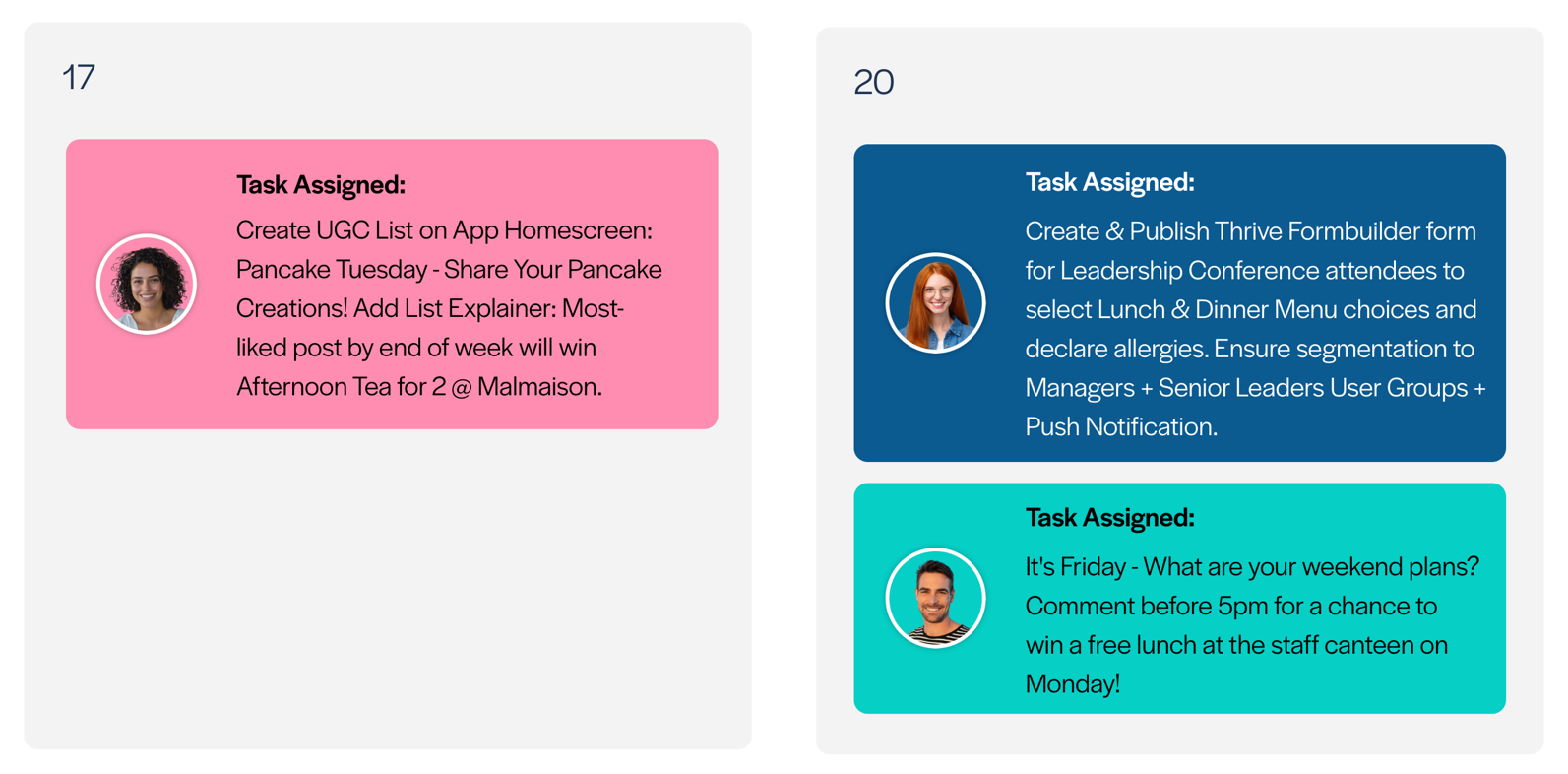
Next to go in the content calendar are your opportunities for employee engagement. The lighter, fun stuff. What are you going to do this week to encourage your employees to get liking, commenting and posting their own content to the app? Our example company are using Pancake Tuesday to encourage employees to post pictures of their home-made pancake creations, with the most liked post winning a prize. This aspect of your app planning will usually depend on what time of year it is and what’s going on in the world. Be on the lookout for special days and national events to use as a theme for this kind of app content. Like at Easter you might plan an app easter egg hunt, or during the World Cup you might want to set up a fantasy football league or encourage employees to post themselves and their families in their nations’ colours.
Each month, we share some tips and ideas for planning this kind of app content, which you can find by clicking the ‘Latest From Thrive’ Megaphone icon at the top of the CMS.
Finally, the last thing to plan into your calendar: is nothing. Intentionally leave some gaps and space for urgent and unexpected updates. Your content calendar takes most of the guess-work and reactivity out of planning your internal comms, but we all know that even with the best will in the world, there will always be those emergency, last-minute things that come crashing down on to your desk from the C-Suite level that just absolutely must be communicated to employees right this instant…
So leaving some space for those unexpected updates can be good idea!
To Re-cap. Plan your Content Calendar in this order:
- Add your regular and ongoing weekly tasks.
- Plan in the key “need to knows” of the upcoming weeks like company initiative launches, planned policy updates, etc.
- Add plans for content around real life events like conferences, training courses, re-brands, public product launches, etc.
- Plan themed comms content to reflect any particular company goals or medium-term areas of focus.
- Put in the opportunities for employee engagement and having a little bit of fun with your app.
- Leave some space for the urgent and unexpected things that simply have to be reacted to.
Planning your app content with a Content Calendar and using this method to decide what needs to go in the plan will not only give you a steady stream of new, interesting and engaging content for your employees, it also ensures that you’ll be able to measure your app’s success not just in terms of ‘X page views’ or ‘Y Unique Views’, but in terms of how well your app is contributing to the sense of belonging and engagement that your employees have with the company, and the extent to which your app is helping to support the company’s goals and short-medium term areas of focus.
If you’d like some help from us to get started on building your own app content planning calendar, please don’t hesitate to get in touch with me: your Thrive Client Success Manager at ian.mccutcheon@thrive.app and I’ll be happy to schedule a call to discuss in more detail!