News & Feature Release Updates
Wrapping Up The Year: Your Guide to Christmas Comms!

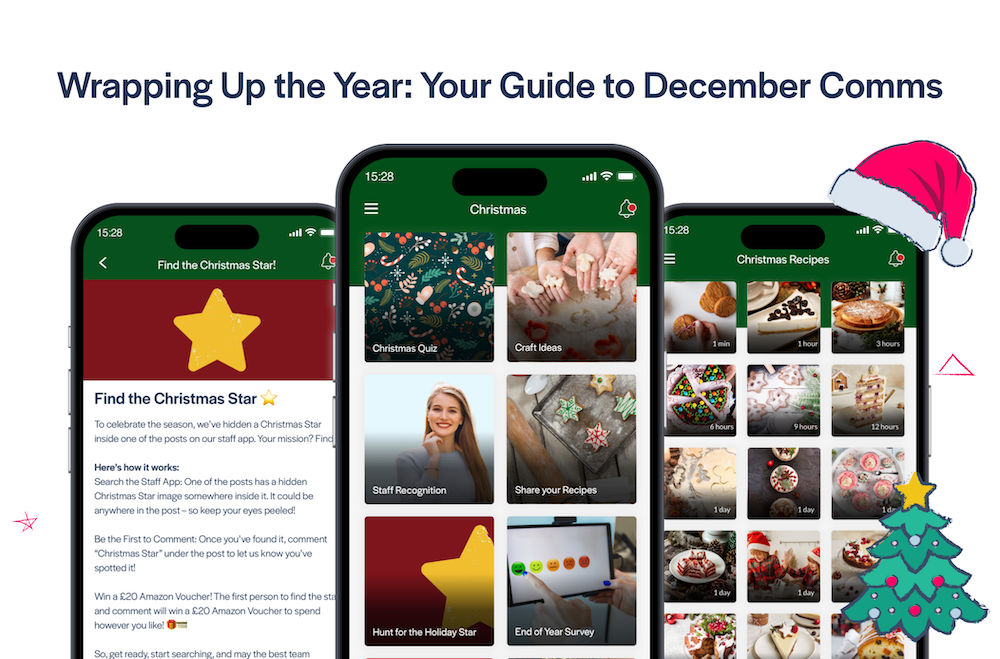
Here are our top-tips for using your Employee App to spread festive joy this Christmas!
1. Create an App Advent Calendar (Appvent Calendar!)
An Appvent Calendar is a great way of reminding your employees of all of the positive and inspiring actions from your employees during the year. Start by creating a new List in your app, then create each day of Advent as separate Pages within your list. Then only post content into each day’s page (and send out a push notification) when each day arrives. This way, employees only ‘open each door’ on the appropriate day!
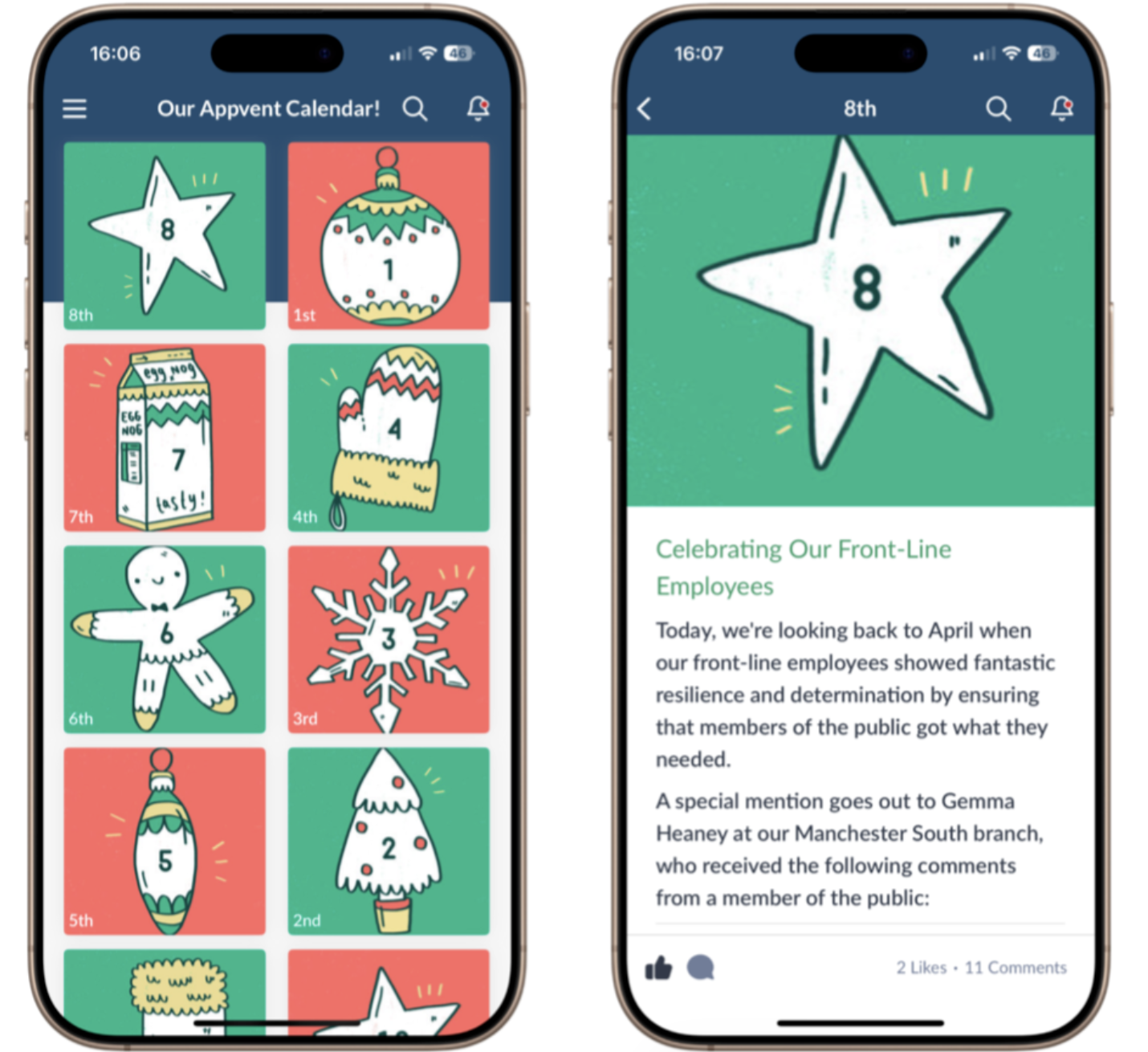
On each day of Advent, you can post about something positive that happened in the last year, as a way of reminding employees of the great things that have gone on around the business. When employees open the Appvent Calendar section of the app, they can look for that day’s door (like a traditional Advent calendar), or you can send out a push notification each day to let them know that the post for that day has been published!
If you like the Calendar featured images for each day in the example above, and you’d like to use them for your own Appvent Calendar, send an email to support@thrive.app and our Support Team will upload all 24 images into your media library!
2. Have a Christmas Competition in Your App
Spot the Santa! The idea here is that you’ll continue to publish your app content as normal, and you can even combine this with the content in the Appvent Calendar, if you’re creating one of those. From now until Christmas, once a week, you hide a Santa in one of your images in the news section of your app. You can use the Santa below if you’d like – it’s really simple just to add the Santa in the corner of one of your images using any basic program – even MS Paint will do the job!
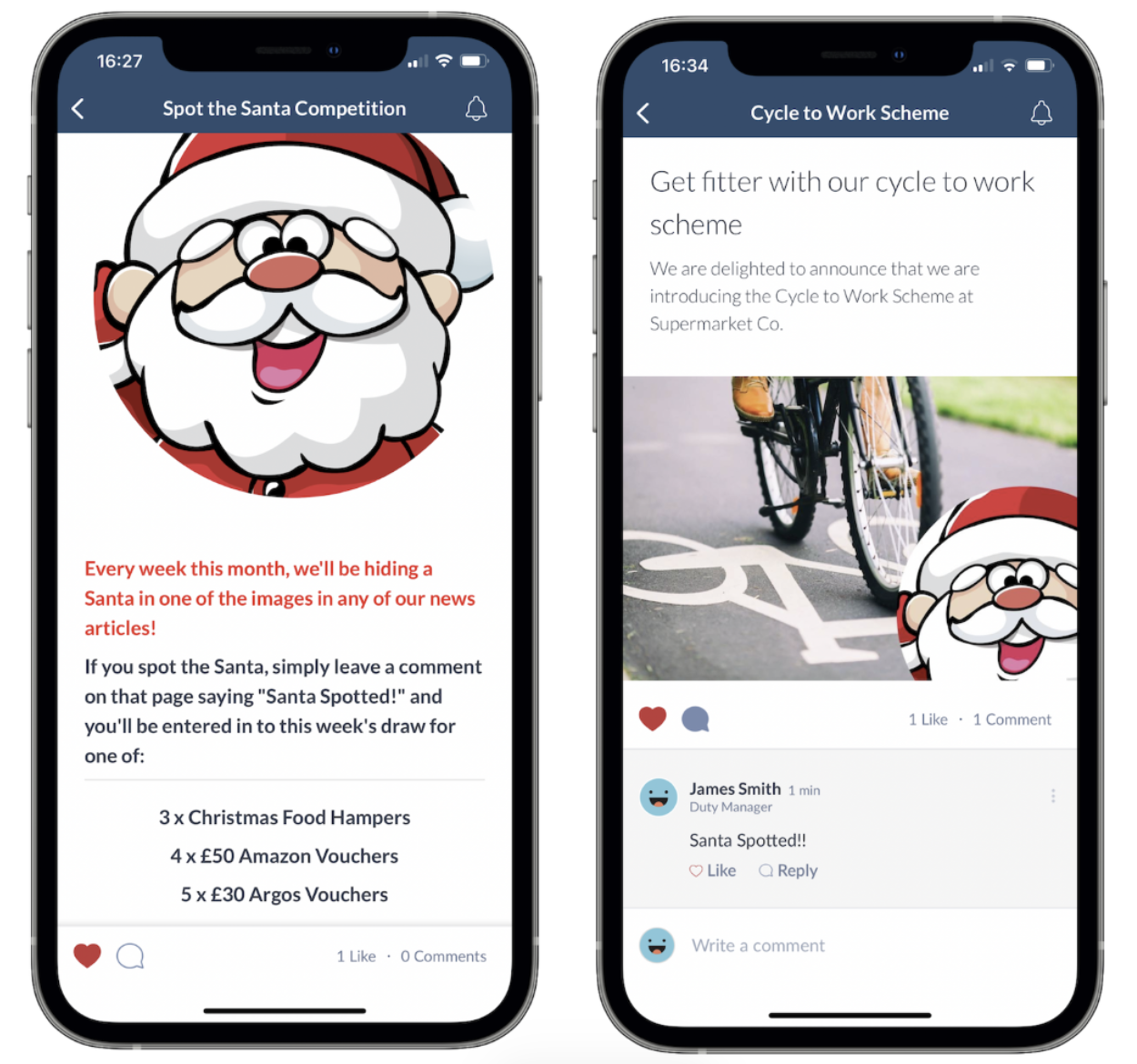
At the start of each week, you remind everyone in the app to look for the Santa, and if they spot it, they simply need to comment on that page and they’ll be entered into that week’s competition draw for whatever prizes you can source. Things like Christmas Hampers and even Amazon vouchers tend to go down well at this time of year!
3. Use the All-New Thrive Formbuilder to Take Orders for Your Staff Christmas Dinner
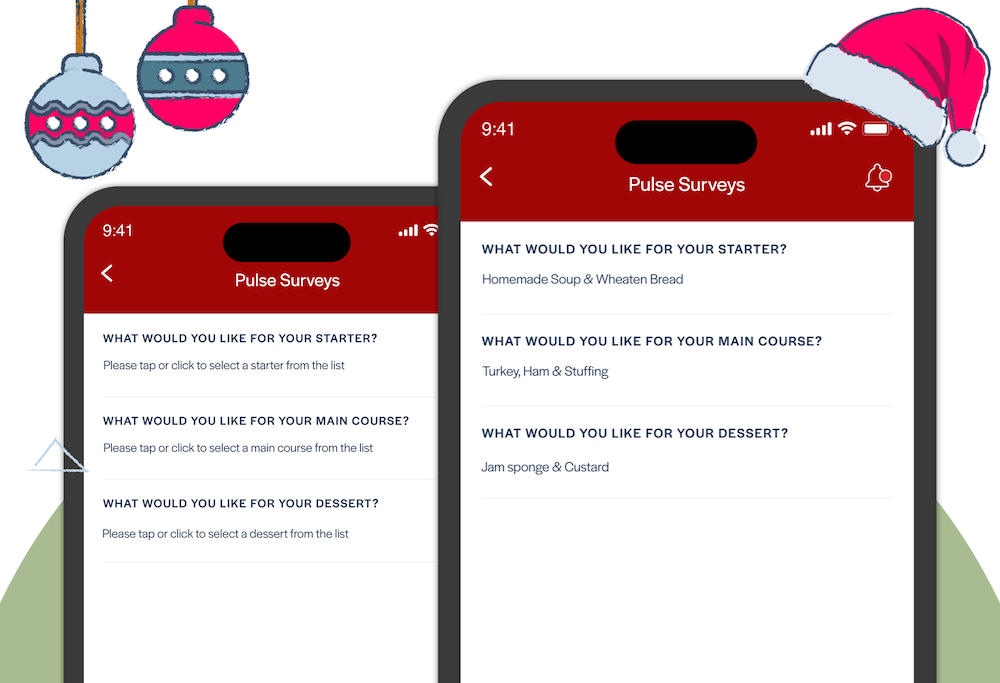
The new Thrive Formbuilder Feature allows you to create native forms for employees to complete, directly in your app! While the Formbuilder can be used to create all kinds of important operational forms like Holiday Requests, Shift Swaps, Uniform Orders and Expenses Claim Forms; consider starting off by dipping your toe in the water to create a form to take the menu orders for your Staff Christmas Dinner! It's much more efficient than asking everyone to email their choices, as you can simply download a report from the Thrive CMS showing everyone's choices!
4. Have a Virtual Christmas Jumper Day with User Generated Content
Use your app to have a virtual Christmas Jumper Day or week. It’s as simple as creating a new List in your app, enabling user publishing, and encouraging everyone to post their crazy Christmas Jumpers! User Generated Content is great way to make your app more interactive, and if you haven’t encouraged much user content in the past, having a Christmas-themed section of your app for your employees to post to is a fun and low-risk way of dipping your toes in the water, with a view to making more use of UGC in future.
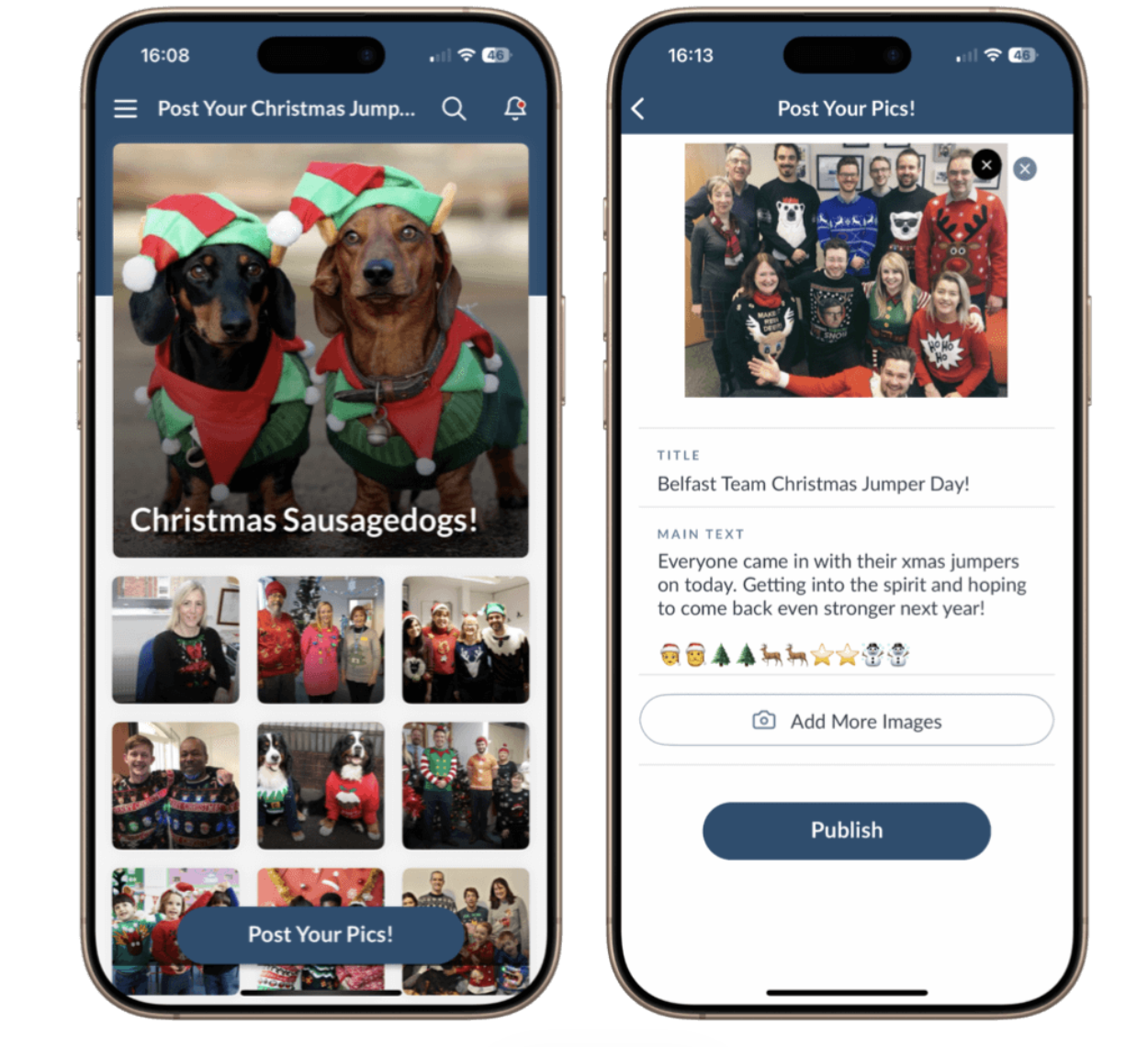
You can find a full walkthrough for adding a UGC list to your app here on our brand new Customer Help Centre website. You can even enable post moderation, so that every picture needs to be approved before appearing in the app if you prefer a bit more control over what gets posted.
We hope that these ideas help to spark some inspiration to add some festive cheer to your employee app! If you need any help with bringing these ideas to life in your app, or if you'd like us to add the Appvent images to your media library, please reach out to our Support Team, who will be more than happy to assist!