
Blog
Awesome August Ideas to Give Your Thrive App a Big Boost!
Here's our monthly roundup of examples of good practice from other Thrive customers, and ideas to give your employee app an awesome boost this August!

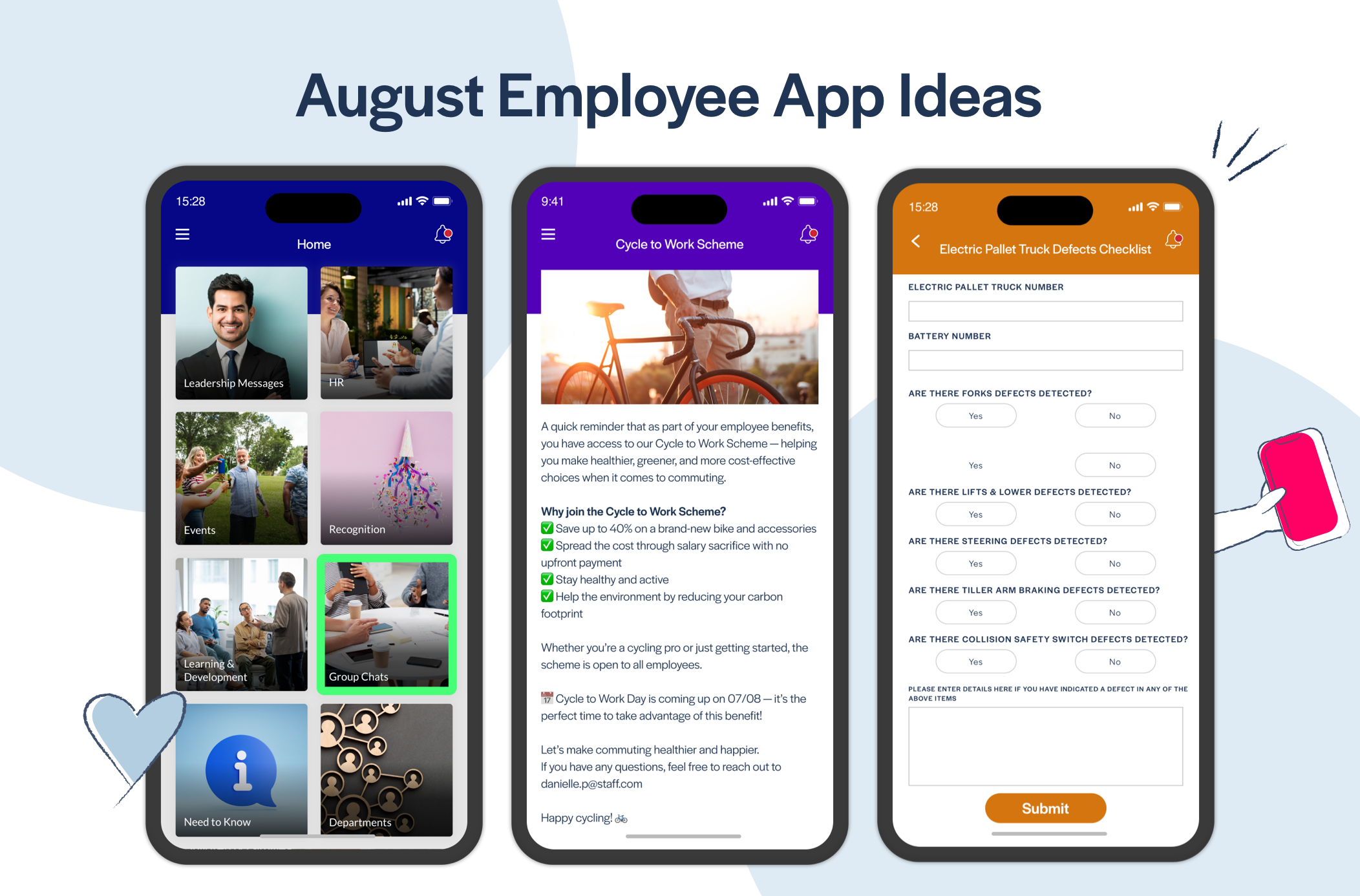
Run The Carbon Saving Challenge for Cycle to Work Day 🚲
To encourage your employees to get on their bikes this month, try out this Carbon Saving Challenge in your employee app. Each time an employee cycles to or from work instead of taking the car, they fill in some details about their journey in your app to see how much CO2 they've offset, then get placed in your Carbon Saving League table to compete for the title of most CO2 saved during the challenge! Here's some detail on how to go about setting this up in your app...
- Create a new List called The Carbon Saving Challenge.
- Use the List Type tab of your List to add a Form that employees can use to let you know how about their journeys. You can either ask them to complete it for each journey, or just at the end of the week for all the journeys they cycled that week. See the screenshots below for details about which fields you'll want to include in your form.
- Also add a Page inside your List to explain how the challenge works: Each time an employee takes the bike instead of the car, they should come here in the app and use your form to submit details about their journeys, then you'll use that information to calculate their carbon saving score, and update the challenge league table!
Use the screenshots below as a guide to how this should look in your app:
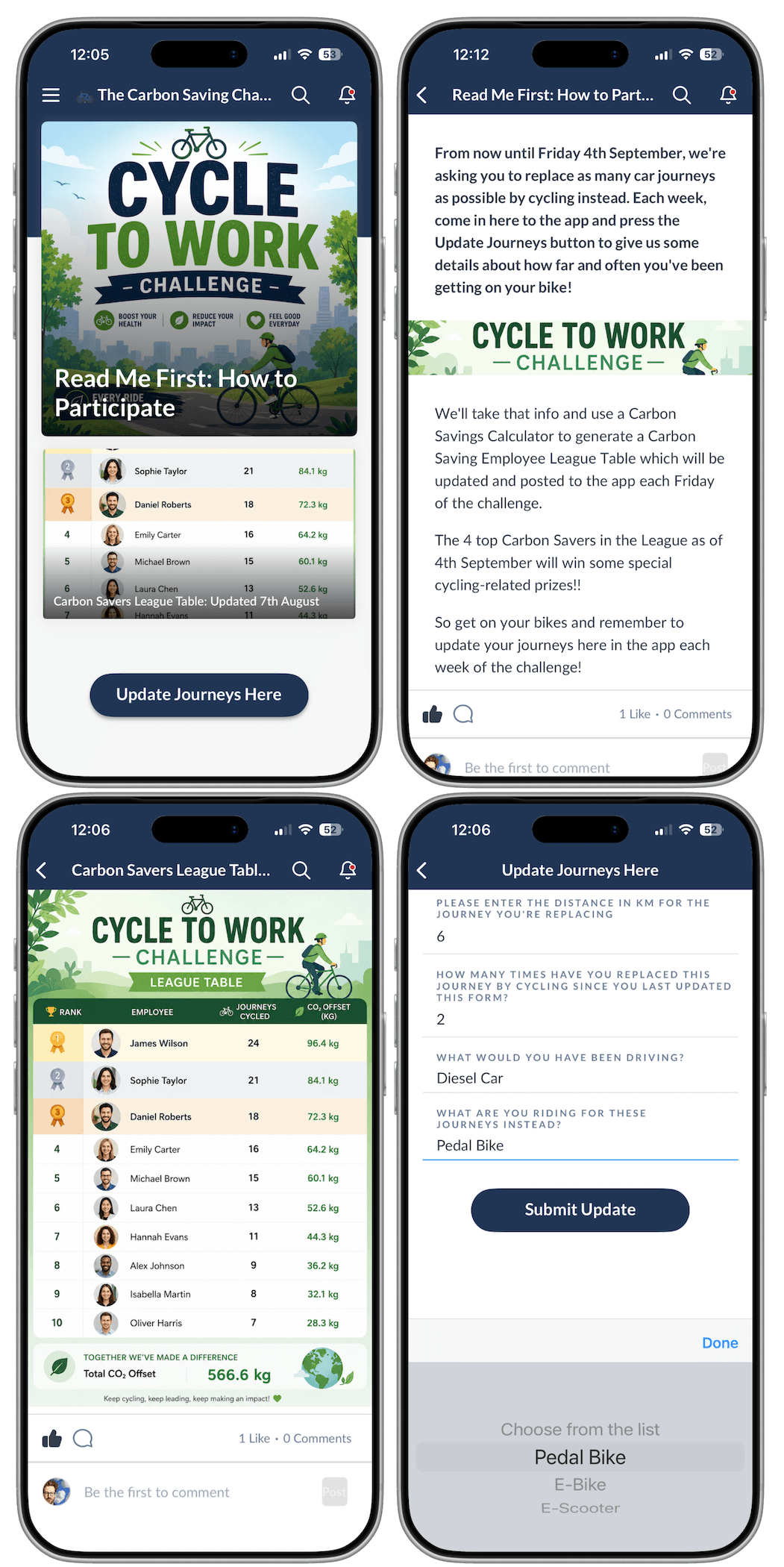
To generate your league table each week of the challenge, start by downloading your CSV report for your Journeys Form in the Thrive CMS. For each employee participating, calculate their carbon savings by entering the data from the report into the carbon calculator at the following website: https://beryl.cc/carbon-saving-calculator.
When you've got your list of employee names and their carbon savings for the last week, the easiest way to create your league table image like the one in the example above, is to use AI like ChatGPT or Claude. Paste the data into your chat as text and give it a prompt like "can you create a portrait image of a league table for a cycling carbon reduction challenge using these employees, their amount of journeys and amount of carbon offset?" and it should give you your league table as nice image that you can add straight in to your Latest League Table page!
Digitised Operational Checklists: Add Value by Introducing Problem-Solvers to Your App 📋
Evidence right across our customer-base continues to show that employee apps that solve problems for employees, by providing them with an improved way of achieving a task or making an operational process easier to follow, have substantially higher levels of usage and engagement than those that rely on employee communications alone. You could be getting so much more value from your Thrive app by harnessing our features to plug operational process gaps and improve employee experience while doing so!
The more stakeholders from various departments in your organisation you can get involved in app ownership, the better. Someone from the Operations team is more likely to know about these kinds of process gaps and problems that your app can help to address. We've heard things like this plenty of times from Operations Managers with our existing customers:
"I wish I knew sooner that the app could do that! We would have been using these app forms all along for our end of shift vehicle checklists instead of doing them with printers, pens and paper!"
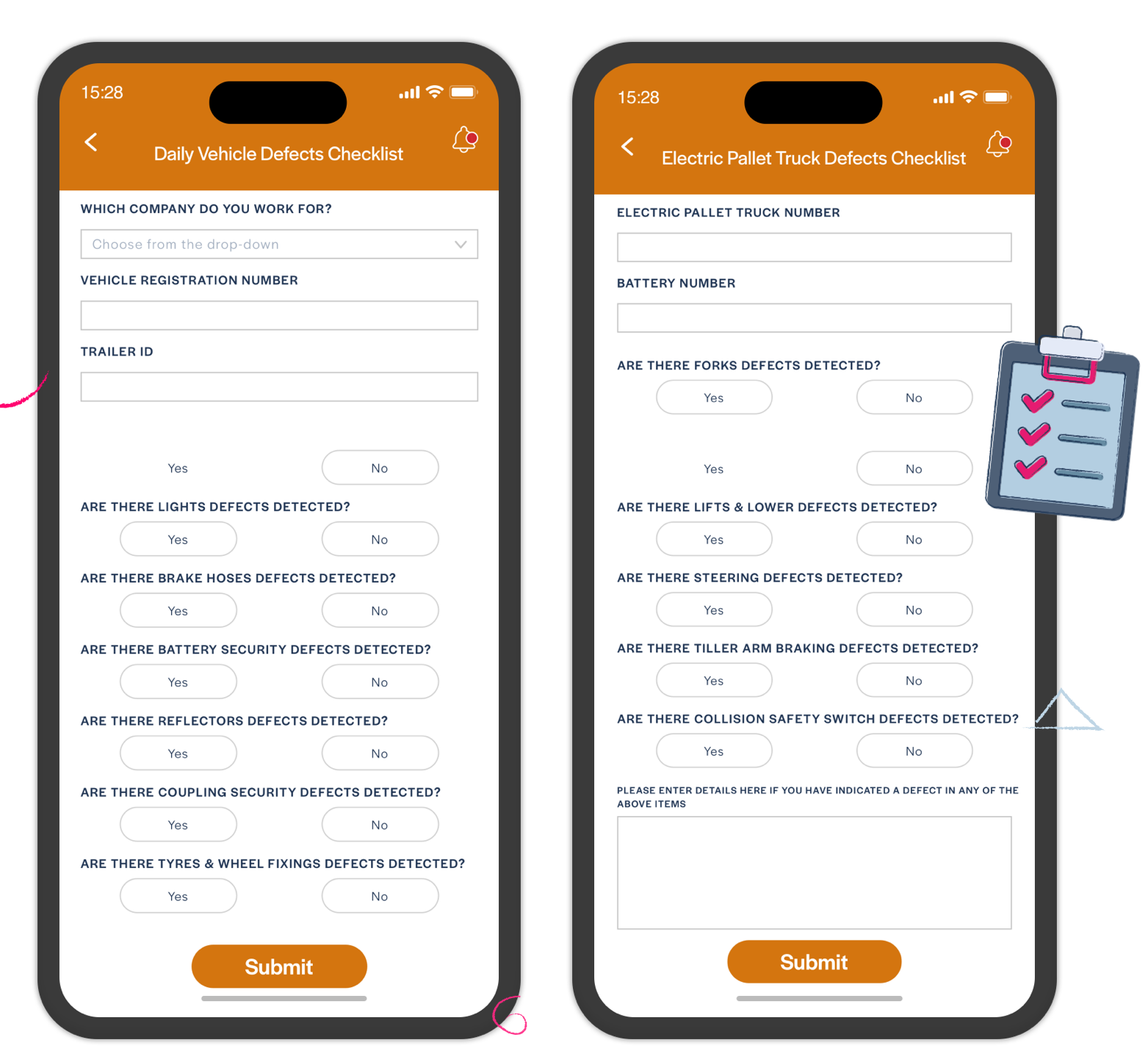
Some Thrive customers have begun to build these kinds of processes into their employee apps, replacing old and outdated ways of working and making it much simpler for employees to comply. The most common are end of shift vehicle and machinery checklists, where employees walk around their vehicle or equipment to tick-off various checks and report any new damage that requires attention. A digital form replacing a paper-based process not only makes it easier for the employees to complete these checks, but it also means that if a defect is reported in the checklist then the appropriate manager also receives an email alert from the app to let them know. So they no longer have to wade through mountains of paper forms to find reported defects that need actioned. They simply get the alert and forward that on to the engineering team for scheduled maintenance!
So much employee and supervisor time is saved and a real, quantifiable return on investment in their Thrive app is measurable - all from getting the Operations team involved in ownership of the app and asking them:
"What process gaps could this app help to fill? What operational problems or annoyances do you have that a digital, app-based solution could help solve?"
Start asking those questions, and you'll be on your way to much-improved app utilisation and getting real, measurable value from your Thrive employee app.
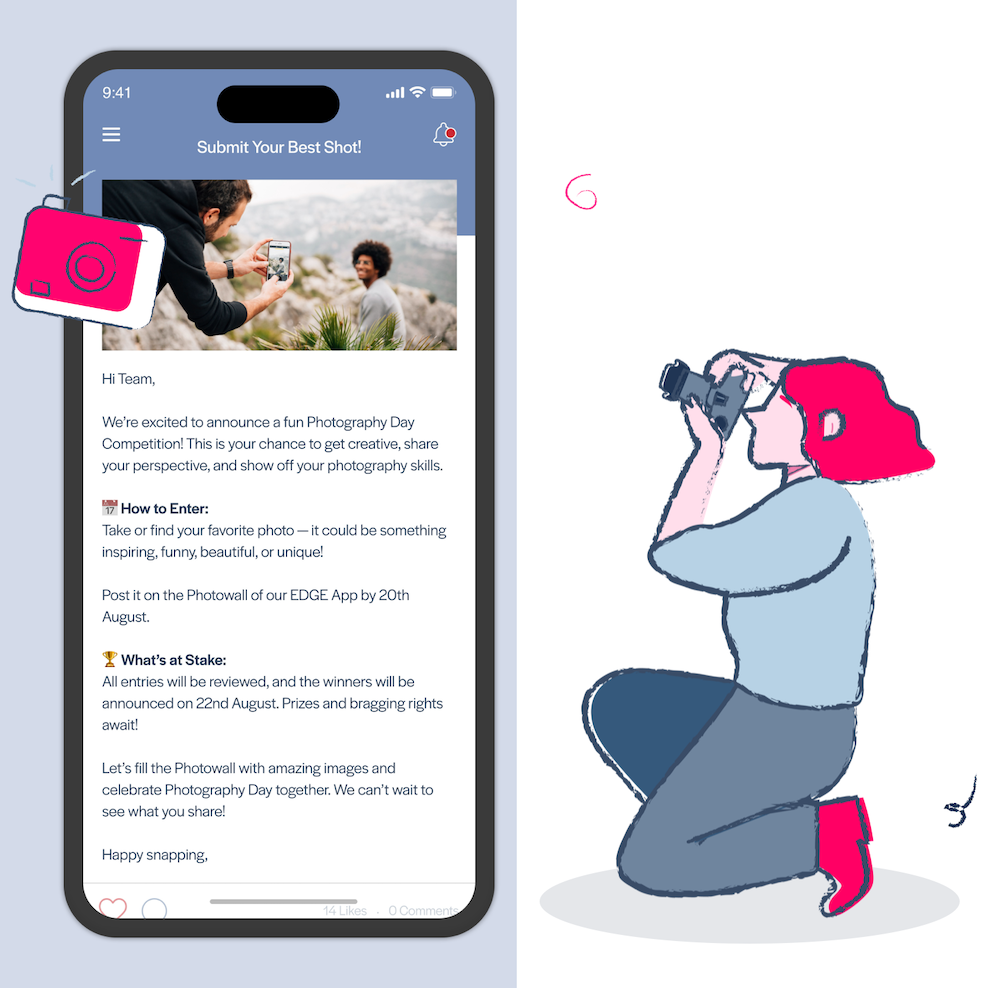
Celebrate World Photography Day on 19th August 📷
Rather than simply having a general Share Your Photos section in your app, we always recommend that you come up with a theme for user-submitted photos and that you change that theme regularly. Having a specific theme for your photo sharing section gives your employees clear guidance on what's appropriate to be posted, while changing that theme for various seasonal events or things going on in the business encourages repeat participation.
So if you're looking for a new UGC theme for August, World Photography Day on the 19th might be a good excuse to change things up! You might even consider a business-related sub theme to make it more specific to your organisation. For example, if you're a logistics company you might update the List Explainer Information Popup in your Share Your Photos UGC List to say something like:
"For World Photography Day we want to see your very best and most artistic snaps of our branded lorries and vans that you've spotted while out and about. The photo with the most likes by the end of August wins a free coffee in the staff canteen every day for a whole week!"
It always helps to encourage participation if you can secure some of kind of incentive, no matter how small. It doesn't have to break the bank, and you'd be surprised how competitive your employees will become for something as simple as free coffee!
Create Spaces for Managers to Share Info & Updates Directly With Their Teams 📈
This is another example of how you can make your app even more useful to your organisation by expanding its use and ownership beyond your Communications and HR teams, and harnessing Thrive's features to make the app must have for the wider business.
Some Thrive customers have started to add new spaces in their apps where Managers of specific teams or departments can add their own updates and information that they need their own employees to know about.
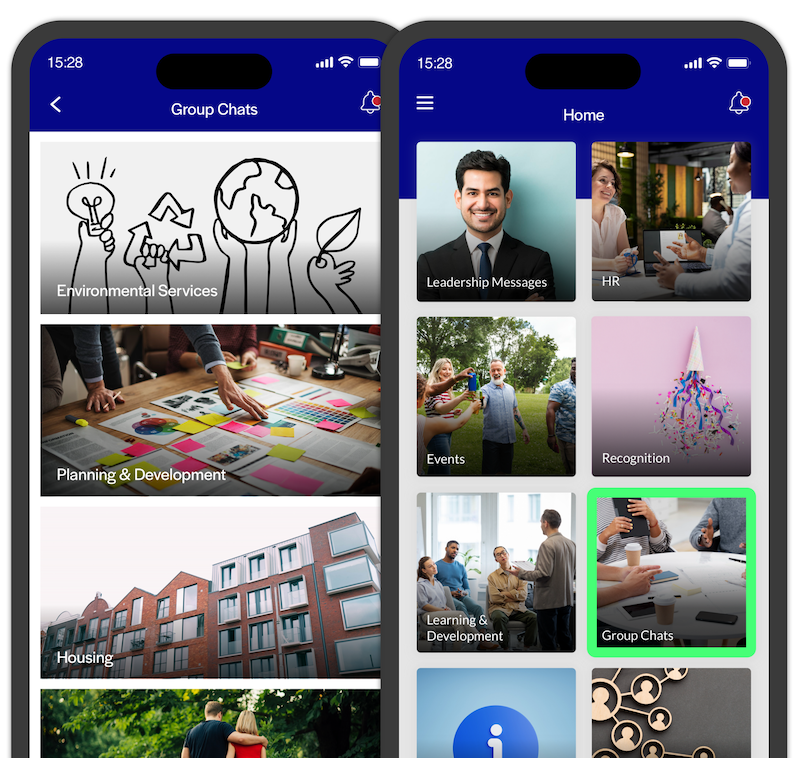
One customer - a Hospital in Ireland, calls these sections Departmental Group Chats. Each team or department (such as Pharmacy, Estates, Endoscopy, Day Surgery, etc) has their own List. But each of them decide how they want to use it to communicate the particular information that the employees in those teams need to know about. The Pharmacy team uses their List to let their employees know about medicine stocks and shortages. While the Medical Scientists team uses theirs to post the weekly team rotas (which were previously just pinned up on a notice board).
So it's likely to require a conversation with departments or team managers in your organisation about the value they could gain from having a space like this to share information and updates within each team or department. If you're interested in setting these up, there are a couple of ways you could go about it:
- Create a new List for a Department, enable User Publishing and set the audience for only that department's user group:
Use this method if you don't want to give anyone new access to the CMS. Managers can then post their updates to this List using the UGC button at the bottom of the screen in the List, and anything posted in here will only be seen by that specific team because you've limited the audience to only be visible to members of that departmental user group. - Create a new List for a Department, set the audience for only that department's user group, and also create a new user group for those who should have Edit Access to this List in the CMS:This will work similarly, but instead of the managers using the UGC button to post content to their department's List, they'll post using the CMS. Because you've set up the Managers in a new group with Edit Access to this List, they won't be able to post anywhere else in your app using the CMS - they will only be able to post to their own specific List!
Fuel Your Organisational Culture With Feel Good Fridays 😃
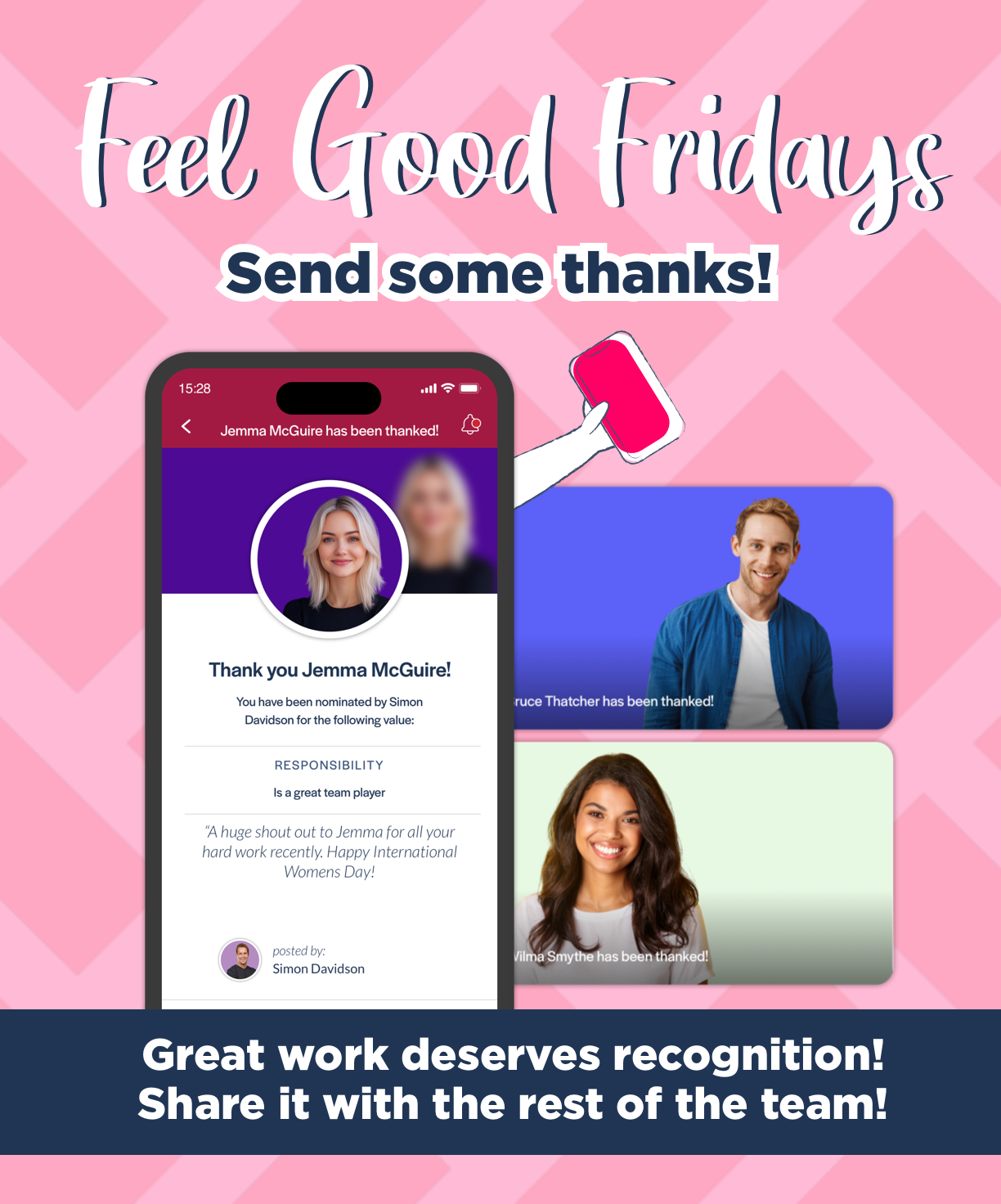
You might already have Thrive's Peer to Peer Recognition feature enabled in your app. Whether it's 'Cheers to Your Peers', 'Shout-Outs', 'Virtual High Fives' or a simple 'Say Thanks', our data suggests that for most customers it gets used sporadically. But when there's some drive or a campaign around it, usage of this feature usually gets a big boost.
Peer Recognition can be a really important dimension to your app because it can help to fuel your organisational culture and gives your employees real life examples of what your company values actually look like in practice. In addition, it can help get visibility on all of the good-but-small stuff that goes on every day, that otherwise wouldn't be known about.
To encourage your employees to engage with Peer Recognition in your app, consider running a campaign around it: Feel Good Fridays. Make a post in your app to ask them to reflect on the week gone by and the colleagues that helped to make it a good one:
The weekend is almost here! For Feel Good Friday we're asking you to reflect on your week and your colleagues who made it a good one - by lending a hand, going the extra mile, or even just by helping you crack a smile! Use the in-app link below to go give them a Shout-Out to show your appreciation, spread good vibes and make that colleague's day!"
It's also a great idea to specifically encourage Managers and Senior Leaders in the business to get involved on Feel Good Fridays by sending a couple of recognition posts to employees. Getting that kind of 'public' recognition from someone senior in the organisation can be a big confidence boost and a really positive way to end the week for the employee receiving it!
Thriving Clients
We'd love to see you bringing some of these ideas to life to give your app an Awesome August, so please let me know if you're planning to implement any of these and I'll be happy to help if you have any questions or need some assistance to get them set up in your app!
If you're sharing your success on social media, please tag Thrive.App on LinkedIn, Facebook, or X!
Ready to improve communication, safety and operational efficiency across your frontline teams? Book a personalised demo and see how Thrive helps organisations keep every employee informed, connected and operationally ready.
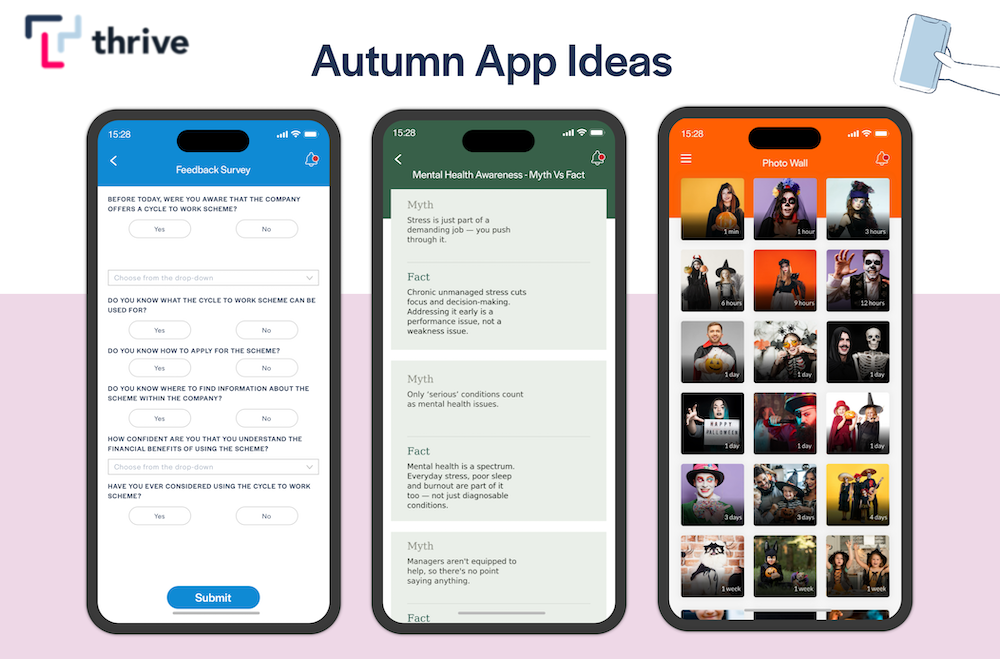
Autumn Ideas to Brighten Up Your Employee App This October
By Ian McCutcheon, Client Success Manager, Thrive 5 October, 2026
Employee App Success
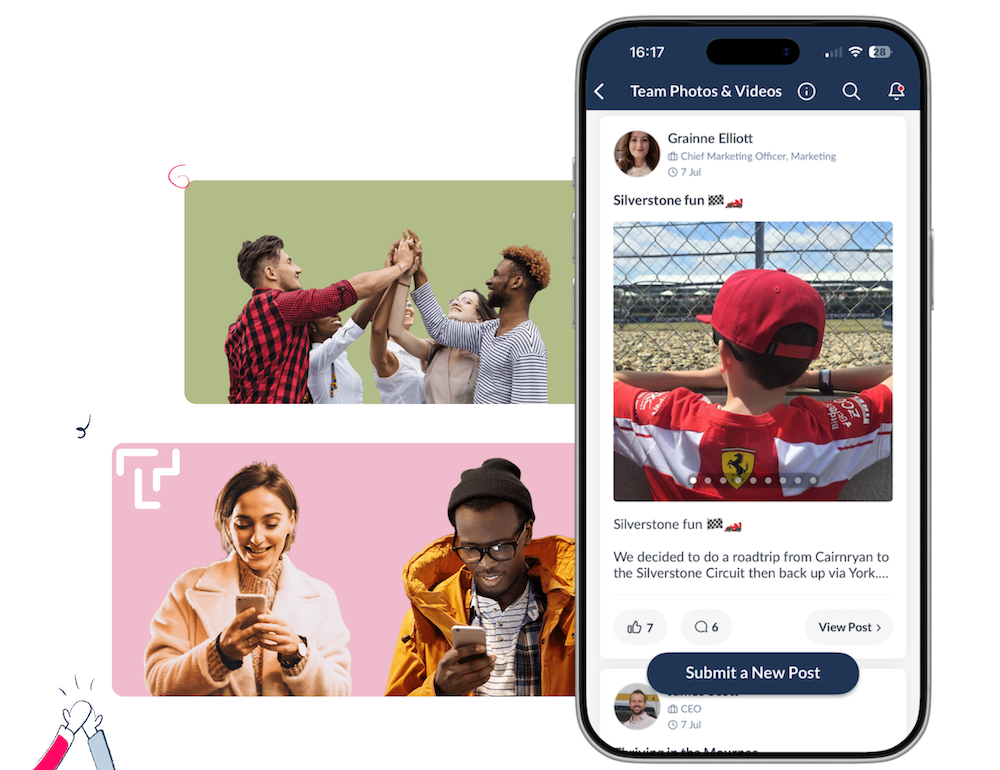
Level-Up Your Thrive App's Look & Feel With Our All-New Social List Layout
By Ian McCutcheon, Client Success Manager, Thrive 17 September, 2026
Feature Updates
Improve Content Discoverability with our New Combined Highlights Feed
By Ian McCutcheon, Client Success Manager, Thrive 9 September, 2026
Feature Updates


